Thunderbolt 4 Dock Insufficient Power Delivery MacBook Pro 16
> If your MacBook Pro 16" battery drains while docked, you're not imagining it—you're fighting dock power allocation.
TL;DR
- 96W nominal PD doesn't equal 96W to your MacBook: Most Thunderbolt 4 docks share their power supply between host charging, display signal conversion, and peripheral ports—leaving your laptop with less than advertised.
- Dual 4K displays alone consume 12–18W: DisplayPort alternate mode routing through the dock's Thunderbolt controller burns watts before a single USB device draws power.
- Simultaneous USB-C charging divides the budget further: Charging a phone or tablet via downstream ports subtracts from host PD allocation in real-time.
- PD negotiation falls back under load: When total peripheral draw approaches dock capacity, macOS automatically renegotiates to a lower wattage profile—often 60W or 85W instead of 96W.
Editor's Note
A 96W Thunderbolt 4 dock will not sustain full charging to a MacBook Pro 16" when simultaneously powering dual external displays and USB-C peripherals. This applies if your dock documentation does not specify a separate, dedicated PD budget isolated from peripheral power draw. It does not apply if your dock uses a 140W+ power supply with explicit host-only PD allocation.
MacBook Pro 16 Battery Drain While Docked
You connect your MacBook Pro 16" to a Thunderbolt 4 dock rated for 96W Power Delivery. Two 4K displays light up. Your wireless charger for your phone sits plugged into the dock's front USB-C port. An external SSD transfers files in the background.
Three hours later, your battery sits at 73%.
The dock's specifications promised 96W charging. Your MacBook Pro 16" ships with a 140W adapter, but you assumed 96W would suffice for desk work. You're not running games or rendering video—just email, Slack, and a browser with twelve tabs.
This isn't a battery defect. It's power allocation design.
Most 96W Thunderbolt 4 docks derive their total power from a single AC adapter—typically 150W to 180W. That total budget must cover:
- Host laptop charging via the upstream Thunderbolt port
- DisplayPort signal conversion for external monitors
- Downstream USB-C and USB-A port power delivery
- Internal Thunderbolt controller and hub chipset operation
When you connect dual 4K displays, the dock's Thunderbolt controller converts DisplayPort alternate mode signals. Each display path consumes 6–9W, even before pixel data flows. Add a phone charging at 15W via a downstream USB-C port, and the dock's internal power management circuit begins rationing watts.
Your MacBook receives what's left—not what the label promised.
Quick Decision Table
| Product | Image | Design | Decision | Best For | Price |
|---|---|---|---|---|---|
| Belkin Connect TB4 Dock 96W | 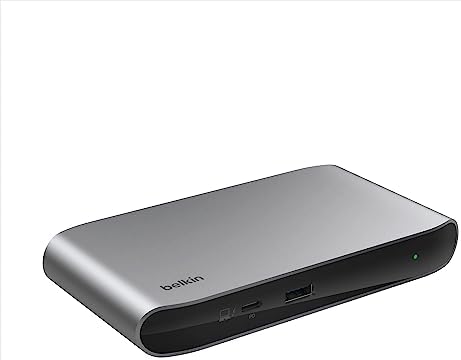 | 150W adapter, 96W host PD, 5 ports, no separate peripheral budget | Shared power pool—display + peripheral draw reduces laptop charge | Travel users accepting slower charge during light peripheral use | Check price |
| Plugable TB4-UD5 | 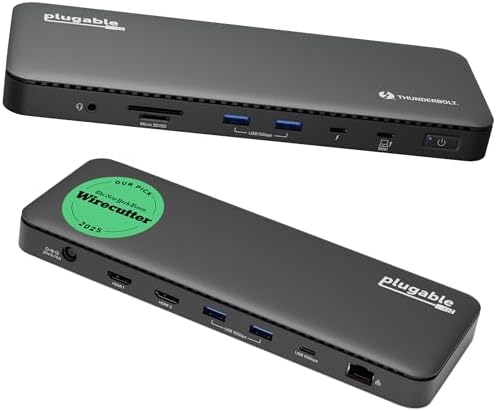 | 96W certified PD, dual HDMI, 13 ports, shared power architecture | Dual 4K + USB accessories will negotiate PD below 96W under load | Mixed-use setups where displays stay on but peripherals cycle | Check price |
| Anker Prime TB5 Dock 140W | 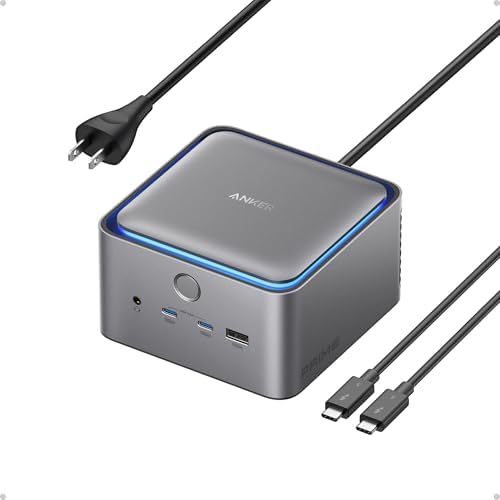 | 140W max PD, 240W total adapter, active cooling, TB5 downstream | Winner: Power Headroom — Supplies sustained 140W to host while displays and 45W front USB-C draw concurrently | Full-load MacBook Pro 16" users running sustained CPU tasks with dual displays and charging peripherals | Check price |
| Plugable TBT4-UDZ 100W | 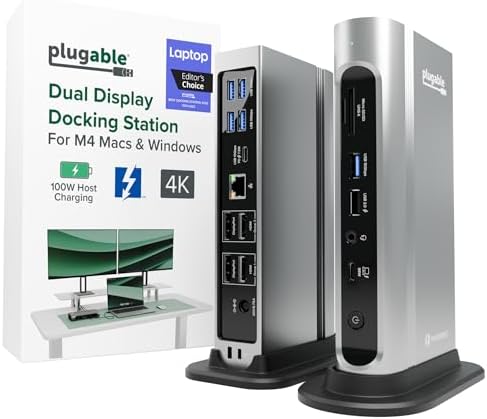 | 100W PD certified, 16 ports, 2× HDMI + 2× DP, shared power pool | 4W above 96W baseline—modest headroom but still shares budget with peripherals | Dual-display users who keep USB-C peripheral charging below 12W total | Check price |
| Acer TB4 Dock 160W |  | 160W adapter, 96W host PD via USB-C, DisplayLink for quad monitor | DisplayLink driver overhead; host PD still shares 160W pool with display processing | Mac users needing 3–4 displays who accept DisplayLink driver dependency | Check price |
| TobenONE DisplayLink 120W | 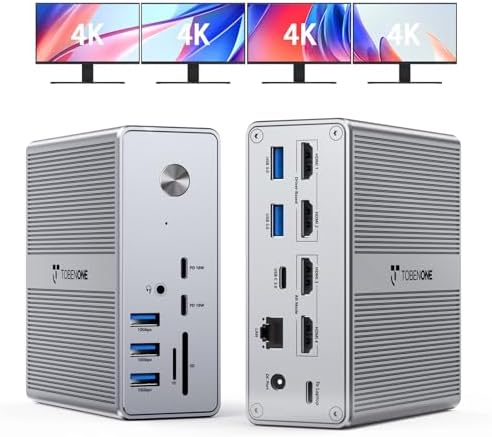 | 120W adapter, 100W certified PD, 4× HDMI via DisplayLink, 18 ports | DisplayLink offloads display bandwidth but still shares power pool | Budget-conscious users accepting driver installation for multi-monitor capability | Check price |
| StarTech TB4USB4DOCK | 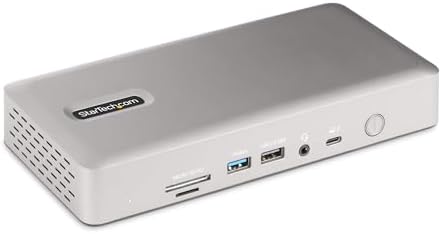 | 180W adapter, 98W PD, quad 4K Windows/dual Mac, 16 ports | 2W above 96W—minimal headroom; Windows DSC required for quad display | Enterprise deployments prioritizing compatibility over power margin | Check price |
Power Delivery Budget Thunderbolt 4 Dock Calculation
The MacBook Pro 16" draws up to 140W during sustained CPU and GPU workloads. At idle with two external displays and moderate browser activity, power consumption averages 45–65W.
A 96W dock can maintain charge during light use. But when you:
- Run Xcode compilation
- Export video in Final Cut Pro
- Join a video call with screen sharing enabled
- Transfer large files via an external NVMe drive
…instantaneous power draw spikes to 90–110W.
If the dock simultaneously supplies 18W to displays and 15W to downstream USB-C charging, it has already allocated 33W before your MacBook requests power.
The dock's power management IC detects insufficient budget. It sends a new PD contract negotiation to macOS. Your MacBook accepts 60W instead of 96W to avoid overloading the dock's power supply.
Battery drain begins. Not because the dock failed—because it operated exactly as designed.
96W vs 140W Thunderbolt 4 Dock MacBook Pro
| Wattage Allocation Scenario | 96W Dock | 140W Dock |
|---|---|---|
| Total AC adapter capacity | 150–180W | 240W+ |
| Host PD under dual 4K displays | 60–85W negotiated | 140W sustained |
| Remaining for USB-C peripherals | 12–18W | 45W+ |
| Battery behavior during Xcode build | Slow drain | Maintains 100% |
| Simultaneous phone + tablet charging | Forces PD fallback | No negotiation penalty |
The Anker Prime TB5 Dock 140W separates its 240W total budget into dedicated pools: 140W for the host, 45W split across front USB-C ports, and internal allocation for display conversion. Your MacBook never competes with peripherals for charging wattage.
In contrast, the Belkin Connect TB4 Dock 96W shares its 150W supply across all functions. Light use works fine. Heavy simultaneous loads trigger PD renegotiation.
Thunderbolt 4 Dock Wattage Requirements 16 Inch
Minimum to avoid battery drain under load: 100W sustained to the host, plus 20W overhead for displays and peripherals.
The Plugable TBT4-UDZ 100W certifies 100W PD output, providing modest headroom over 96W baselines. It will maintain charge during moderate workloads if you limit downstream USB-C charging to one device drawing under 12W.
For sustained high-power workflows with multiple charging peripherals: 140W host PD with a separate peripheral budget eliminates negotiation fallback entirely.
MacBook Pro 16 Dock Not Charging Under Load
You verify the dock's PD rating: 96W. You check System Information → Power:
Power Delivery Contract: 60W
The dock negotiated down because your configuration requested more total power than the dock's AC adapter supplies.
How to Verify Negotiated PD Wattage
- Connect your MacBook to the dock
- Open System Information (hold Option, click Apple logo, select System Information)
- Navigate to Hardware → Power
- Look for Power Delivery Contract or Wattage field
- Compare negotiated wattage to the dock's rated output
If negotiated PD sits 20W or more below the dock's rating, peripheral power draw is forcing fallback.
This Works For You If
- You use a MacBook Pro 16" with dual 4K or higher-resolution displays
- You charge phones, tablets, or wireless earbuds via dock USB-C ports
- You run sustained CPU workloads (compilation, video export, virtual machines)
- Your current 96W dock shows battery drain during heavy use
- You verified negotiated PD in System Information falls below dock rating
This Struggles For You If
- You use a MacBook Air or 13" MacBook Pro (lower power requirements)
- You keep peripherals charged separately, not via dock
- You work primarily in browser, email, and document editing (low sustained draw)
- You already own a 140W dock with separate PD budgets
- Your current setup maintains 100% battery during all workflows
Use Our Power Delivery Calculator
If your 96W Thunderbolt 4 dock forces PD negotiation below its rated output, upgrading to a 100W+ dock with isolated power budgets eliminates battery drain under load.
The Anker Prime TB5 Dock 140W matches the MacBook Pro 16" native 140W charging rate while supporting dual displays and 45W front-port charging without power sharing penalties. The Plugable TBT4-UDZ 100W offers a lower entry price with 4W headroom over 96W baselines—adequate if you limit simultaneous peripheral charging.
Waiting costs charge cycles. Every drain-and-recharge session ages your battery. Every PD negotiation fallback interrupts sustained workflows. Docks with insufficient power budgets don't improve with firmware updates—they operate as designed.
Choose docks where the math works before you plug in.