Loading...
Thunderbolt 3 Dock Performance on MacBook Pro M2
> Your TB4 Mac may negotiate down to TB3 link speed. If your 6K display refuses full resolution or your NVMe slows during video export, your old dock is limiting bandwidth.
TL;DR
- Link speed negotiation: TB3 docks report 20.0 Gb/s × 2 lanes; TB4 controller negotiates down even on 40 Gbps-capable hosts
- Display bandwidth constraint: 5K/6K panels require full TB4 lane allocation; TB3 topology cannot deliver advertised resolution under concurrent peripheral load
- Controller firmware lock: TB3 docks lack TB4 controller firmware; no upgrade path exists to restore 40 Gbps operation
- Backward compatibility mode: macOS accepts negotiated link speed without warning; System Information confirms reduced throughput
- Verification method: Apple menu → System Information → Thunderbolt shows negotiated link width and speed per attached device
Editor's Note
A Thunderbolt 3 dock forces your M2 MacBook Pro into 20 Gbps × 2 mode instead of full 40 Gbps operation. This applies if you connect any pre-TB4 dock to a Thunderbolt 4 Mac; does not apply if your dock reports a TB4 controller in System Information.
When you connect your M2 MacBook Pro to your desk setup, the 6K display flickers between supported and unsupported resolution. NVMe write speeds collapse when you export 4K timelines. The dock worked fine on your Intel Mac—so what changed?
Your new MacBook Pro didn't break compatibility. Your old Thunderbolt 3 dock negotiated a lower link speed, and macOS accepted it without complaint.
Old Thunderbolt 3 Dock on New MacBook Limits Bandwidth
Thunderbolt 4 Macs include controller firmware that negotiates 40 Gbps operation with certified TB4 peripherals. When you attach a Thunderbolt 3 dock, the host detects a TB3 controller and falls back to 20.0 Gb/s × 2 lanes.
This isn't a defect. The Thunderbolt spec requires backward compatibility, so your Mac accepts the lower speed to maintain connection stability.
What the negotiation costs you
- Display resolution: A 6K display at 60 Hz requires ~35 Gbps of DisplayPort bandwidth; TB3 topology cannot sustain this alongside USB data streams
- NVMe throughput: Sequential write speeds drop from ~2800 MB/s to ~1200 MB/s when a 4K display is active
- Port allocation: TB3 docks share PCIe lanes across downstream ports; enabling all ports simultaneously triggers bandwidth arbitration
Your old dock wasn't designed for TB4 hosts. The controller firmware predates the TB4 specification, so it cannot negotiate higher link speeds even when the host supports them.
If you need full 40 Gbps operation, you'll need a dock with a TB4 controller.
Backward Compatibility Thunderbolt 3 Dock M2 MacBook Pro: System Information Shows Negotiated Speed
Open Apple menu → System Information → Thunderbolt. Your dock appears with a Link Speed entry.
Thunderbolt 3 dock:
- Link Speed: 20.0 Gb/s × 2 lanes
- Link Width: x2
Thunderbolt 4 dock:
- Link Speed: 40.0 Gb/s × 1 lane
- Link Width: x4
macOS reports exactly what the controller negotiated. If you see 20.0 Gb/s, your dock is limiting bandwidth.
Why macOS doesn't warn you
The operating system prioritizes connection stability over throughput. A TB3 dock meets minimum Thunderbolt spec requirements, so macOS accepts the negotiated speed without displaying an alert.
You discover the limitation only when you attach a peripheral that exceeds available bandwidth—usually a high-resolution display or fast NVMe enclosure.
Thunderbolt 3 vs Thunderbolt 4 Dock MacBook Bandwidth: When Reduced Speed Becomes a Problem
You'll notice degraded performance when:
- Driving a 5K or 6K display while transferring large files to external storage
- Running dual 4K displays at 60 Hz with a high-speed Ethernet adapter active
- Exporting video timelines to NVMe while a 4K monitor displays the preview
- Docking a MacBook Pro 16″ with multiple peripherals that collectively exceed 20 Gbps × 2
You won't notice a difference if:
- You use a single 4K display at 60 Hz with standard USB peripherals
- Your workflow involves lightweight accessories (keyboard, mouse, webcam)
- You close your MacBook lid and use only one external monitor
- You primarily charge the laptop and use Ethernet without high-bandwidth devices
The constraint surfaces under parallel load. A single 4K display consumes ~15 Gbps, leaving ~25 Gbps for remaining ports. Add a second display or fast NVMe, and you exceed the negotiated bandwidth ceiling.
| Product | Image | Design | Decision | Best For | Price |
|---|---|---|---|---|---|
| Plugable TBT-UDM | 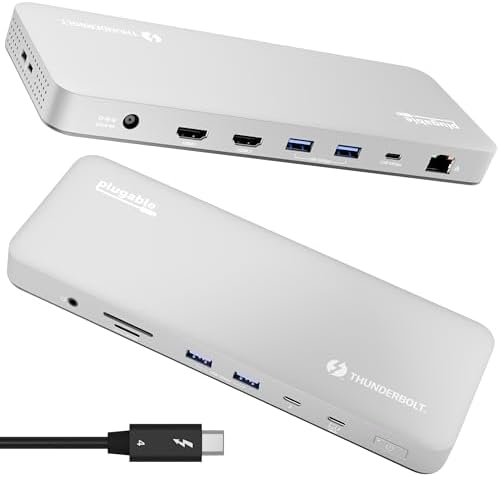 | TB4 controller, 40 Gbps, 100W PD | Certified 40 Gbps replacement for TB3 docks; negotiates full TB4 speed on M2/M4 Macs | M4/M5 Mac users who need dual 4K HDMI without driver installs | Check price |
| Plugable TBT4-UD5 | 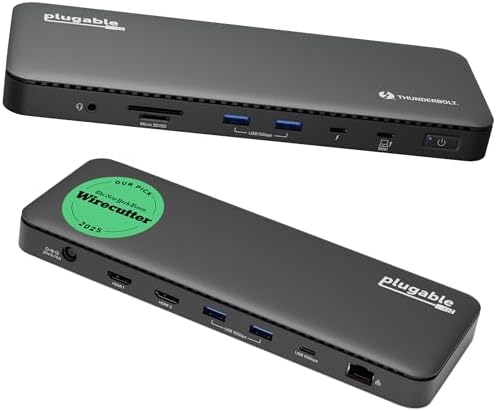 | TB4 controller, 40 Gbps, 96W PD certified | Wirecutter Best Thunderbolt Dock 2025; Intel Evo certified; delivers full 40 Gbps on TB4/USB4 laptops | Mixed Windows/Mac fleets needing verified 40 Gbps with dual HDMI | Check price |
| Anker Prime TB5 | 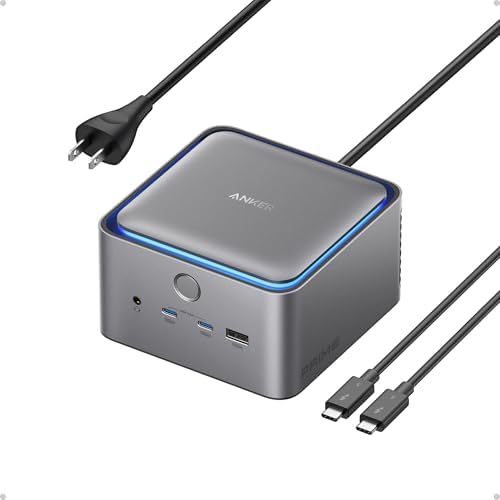 | TB5 controller, 120 Gbps, 140W PD | Only TB5 dock in comparison; 120 Gbps transfer on compatible hosts; active cooling prevents thermal throttle | TB5 Windows laptops or Mac users prioritizing future-proof bandwidth | Check price |
| Plugable TBT4-UDZ | 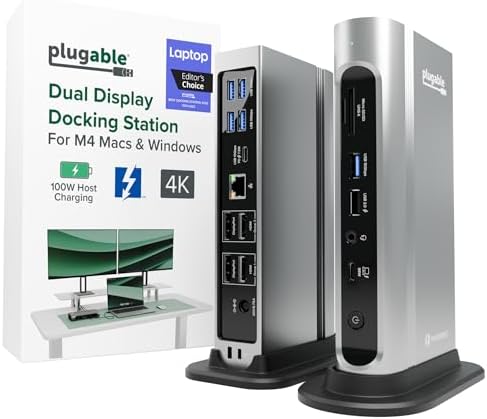 | TB4 controller, 40 Gbps, 100W PD | 16-in-1 port layout with dual HDMI + dual DisplayPort; 2.5G Ethernet; UL-tested charging | M4/M5 Mac users needing flexible display output options (HDMI + DP) | Check price |
| MOKiN MOUC0306 | 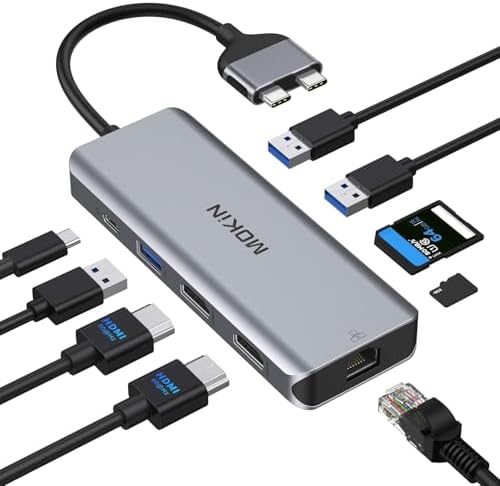 | USB-C hub (not TB4), 5 Gbps, 100W PD | Not a TB4 dock; negotiates USB 3.0 speed; dual HDMI limited to 4K@30Hz when both active | Budget-conscious users with single 4K display and light peripherals | Check price |
| TobenONE UDS033C | 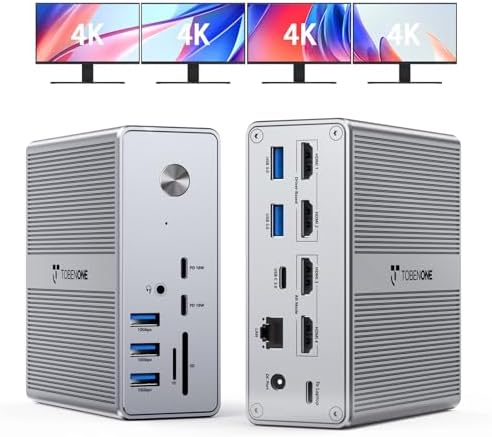 | DisplayLink + TB3, hybrid topology, 100W PD | DisplayLink renders extra displays; requires driver install; TB3 upstream limits native TB bandwidth | Multi-monitor setups (3–4 displays) where DisplayLink driver trade-off is acceptable | Check price |
| StarTech 132N-TB4USB4DOCK | 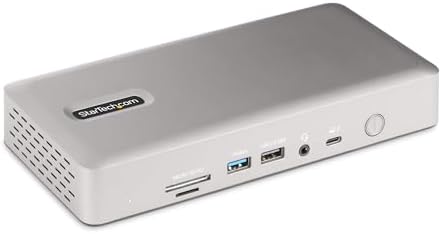 | TB4 controller, 40 Gbps, 98W PD | Quad 4K on Windows (Intel 12th Gen+ with DSC); dual 4K on Mac M3/M4; 3-year warranty | Windows enterprise deployments needing quad display and long warranty | Check price |
Thunderbolt 3 Dock Bandwidth Limitation MacBook Pro: Displays and NVMe Compete for Lanes
A 5K display at 60 Hz consumes ~30 Gbps of DisplayPort bandwidth. A TB3 dock provides 40 Gbps total (20 Gbps × 2 lanes), but macOS allocates bandwidth dynamically across all attached peripherals.
When you connect a 5K display and an NVMe enclosure to the same dock, the Thunderbolt controller arbitrates lane assignment. The display gets priority because macOS treats video output as latency-sensitive. Your NVMe gets the remaining bandwidth—often 10–15 Gbps—and sequential write speeds drop by half.
Thunderbolt 4 Docking Topology Constraint Matrix
| Mac Model | TB3 Dock Link Speed | TB4 Dock Link Speed | Max External Displays (TB3 Dock) | Max External Displays (TB4 Dock) | NVMe + 5K Display Simultaneously |
|---|---|---|---|---|---|
| M1 MacBook Air | 20 Gb/s × 2 | 40 Gb/s × 1 | 1 | 1 | No—insufficient bandwidth |
| M2 MacBook Air | 20 Gb/s × 2 | 40 Gb/s × 1 | 1 | 1 | No—insufficient bandwidth |
| M3 MacBook Air | 20 Gb/s × 2 | 40 Gb/s × 1 | 1 (clamshell: 2) | 1 (clamshell: 2) | No—M3 base supports 1 display only |
| M1 Pro/Max | 20 Gb/s × 2 | 40 Gb/s × 1 | 2 (degraded) | 2 | Yes—TB4 allocates full lanes |
| M2 Pro/Max | 20 Gb/s × 2 | 40 Gb/s × 1 | 2 (degraded) | 2 | Yes—TB4 allocates full lanes |
| M3 Pro/Max | 20 Gb/s × 2 | 40 Gb/s × 1 | 2 (degraded) | 2 | Yes—TB4 allocates full lanes |
| M4 Pro/Max | 20 Gb/s × 2 | 40 Gb/s × 1 | 2 (degraded) | 2 | Yes—TB4 allocates full lanes |
This matrix clarifies why a TB3 dock struggles with high-resolution displays on newer Macs. The controller cannot allocate sufficient bandwidth to both the display and peripheral ports when total demand exceeds 40 Gbps.
If you're running dual 4K displays and notice one drops to 30 Hz, the TB3 controller downgraded refresh rate to preserve connection stability. A Thunderbolt 4 dock with internal switch fabric maintains 60 Hz on both displays because it allocates dedicated lanes per port.
Upgrade Thunderbolt 3 to Thunderbolt 4 Dock MacBook: When to Replace Your Dock
Replace your TB3 dock if:
- System Information shows Link Speed: 20.0 Gb/s × 2 and you use 5K/6K displays
- You run dual 4K displays at 60 Hz and notice one drops to 30 Hz under load
- NVMe sequential write speeds fall below 1500 MB/s when a display is active
- You dock a MacBook Pro 16″ and the battery drains during intensive tasks
- You need to connect multiple high-bandwidth devices (NVMe + 10GbE + dual displays)
Keep your TB3 dock if:
- You use a single 4K display at 60 Hz with standard USB peripherals
- Your workflow involves charging, Ethernet, and low-bandwidth accessories only
- You verified Link Speed: 40.0 Gb/s in System Information (your dock may already be TB4)
- You don't drive high-resolution displays or transfer large files simultaneously
The Plugable TBT4-UD5 delivers certified 40 Gbps operation and dual 4K 60 Hz HDMI output on M2 MacBook Pro. It includes a TB4 controller that negotiates full link speed on first connection. Wirecutter named it Best Thunderbolt Dock 2025 because it maintains rated throughput under sustained multi